
Replying and Mentions
Replying to a Topic
-
Open the topic.
-
Click Comment to reply to the topic, or Reply under a reply to answer it directly.
-
Write your reply in Your Reply, and optionally click Attach Files.
-
Click Post.
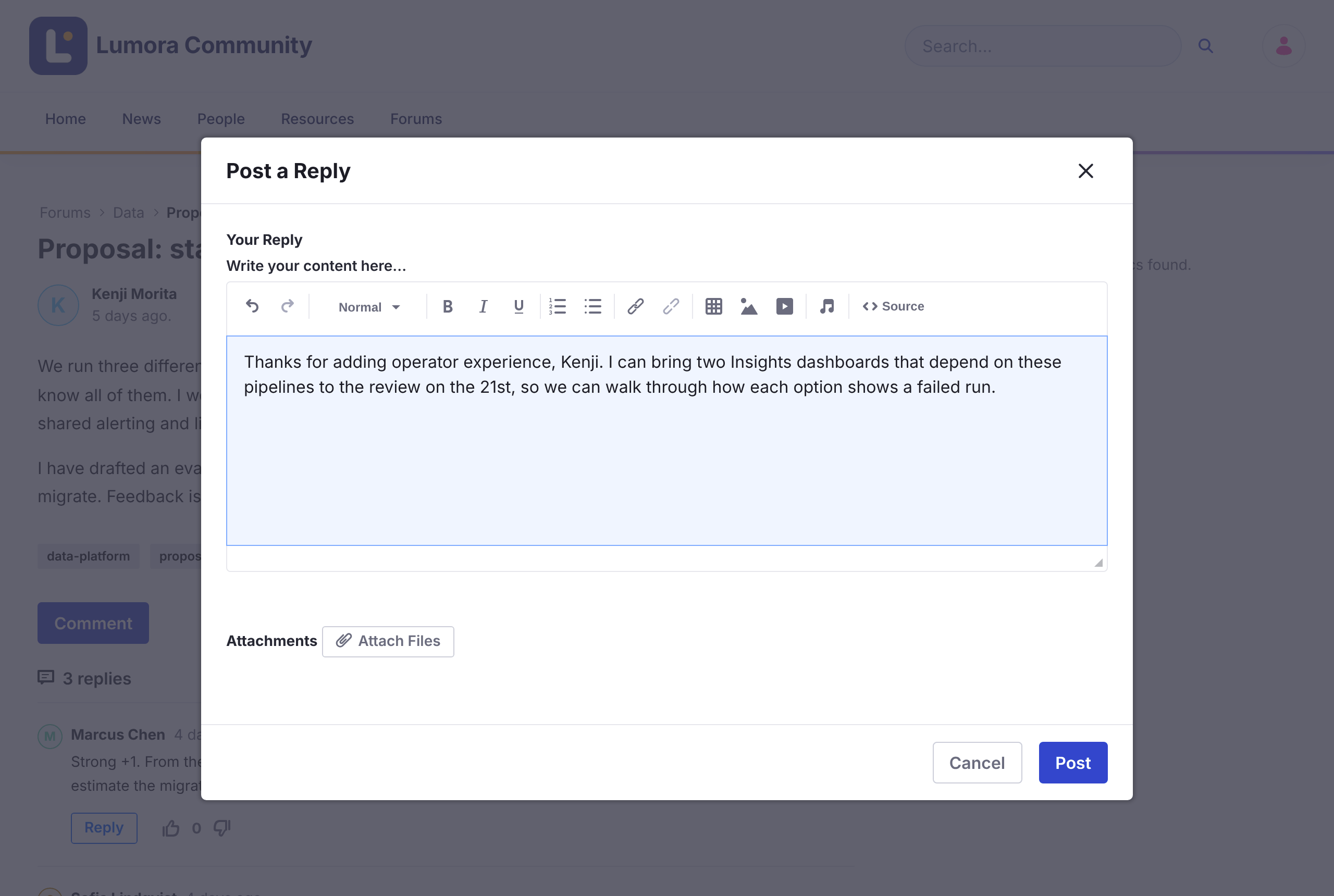
Replies to a reply are nested under it. Long conversations are split into pages.
To change or remove your reply, open its Options menu (⋮) and click Edit Reply or Delete Reply.
You can’t reply to a locked topic.
Mentioning Someone
Type @ followed by the start of a name, and choose the person from the list. They get a notification in Liferay and by email.
- The list shows people who have already posted in this forum.
- If someone is already notified about your reply because they follow the topic, they don’t get a second notification for the mention.
- When you edit a reply, only newly added mentions are notified.