
AI Hub Legacy Connector
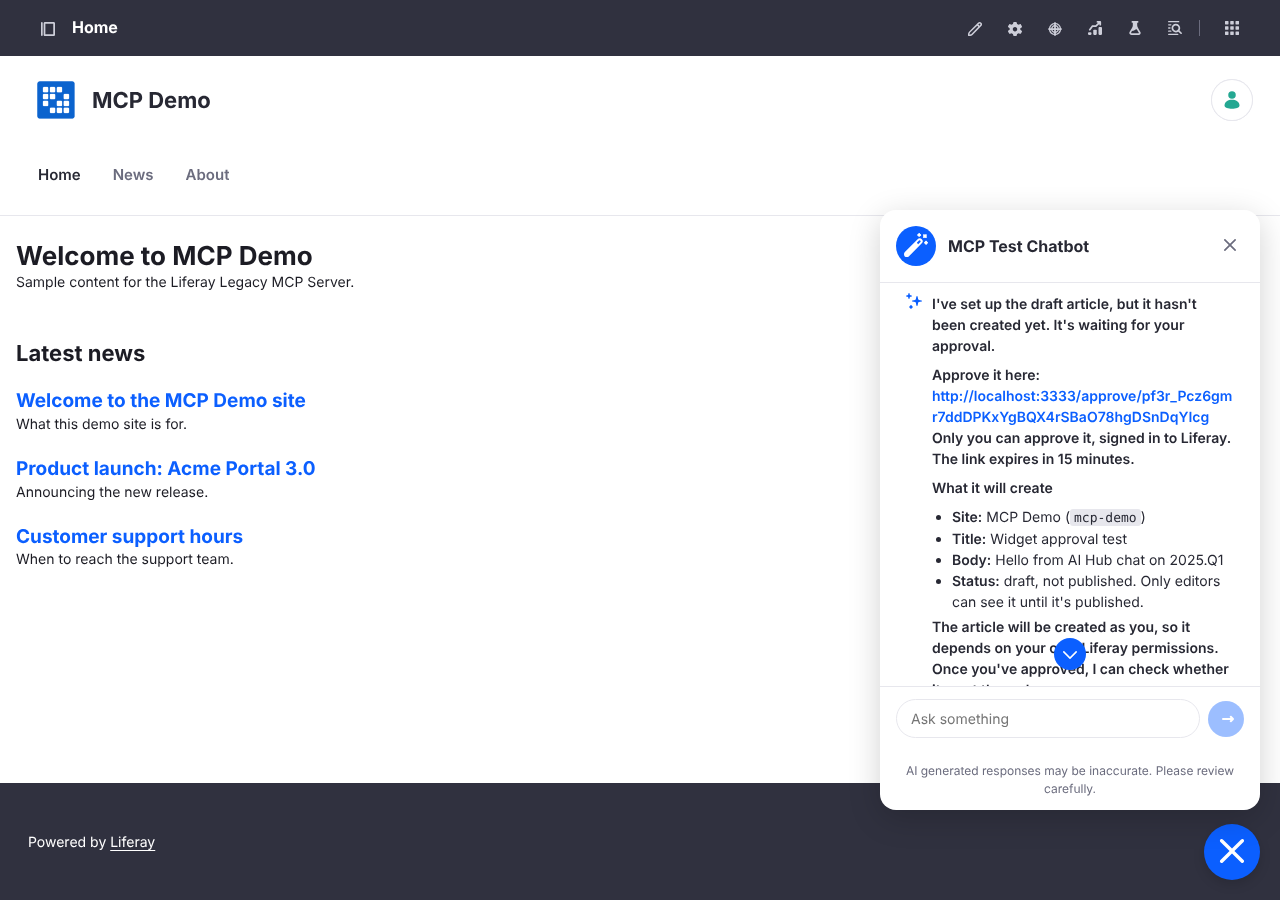
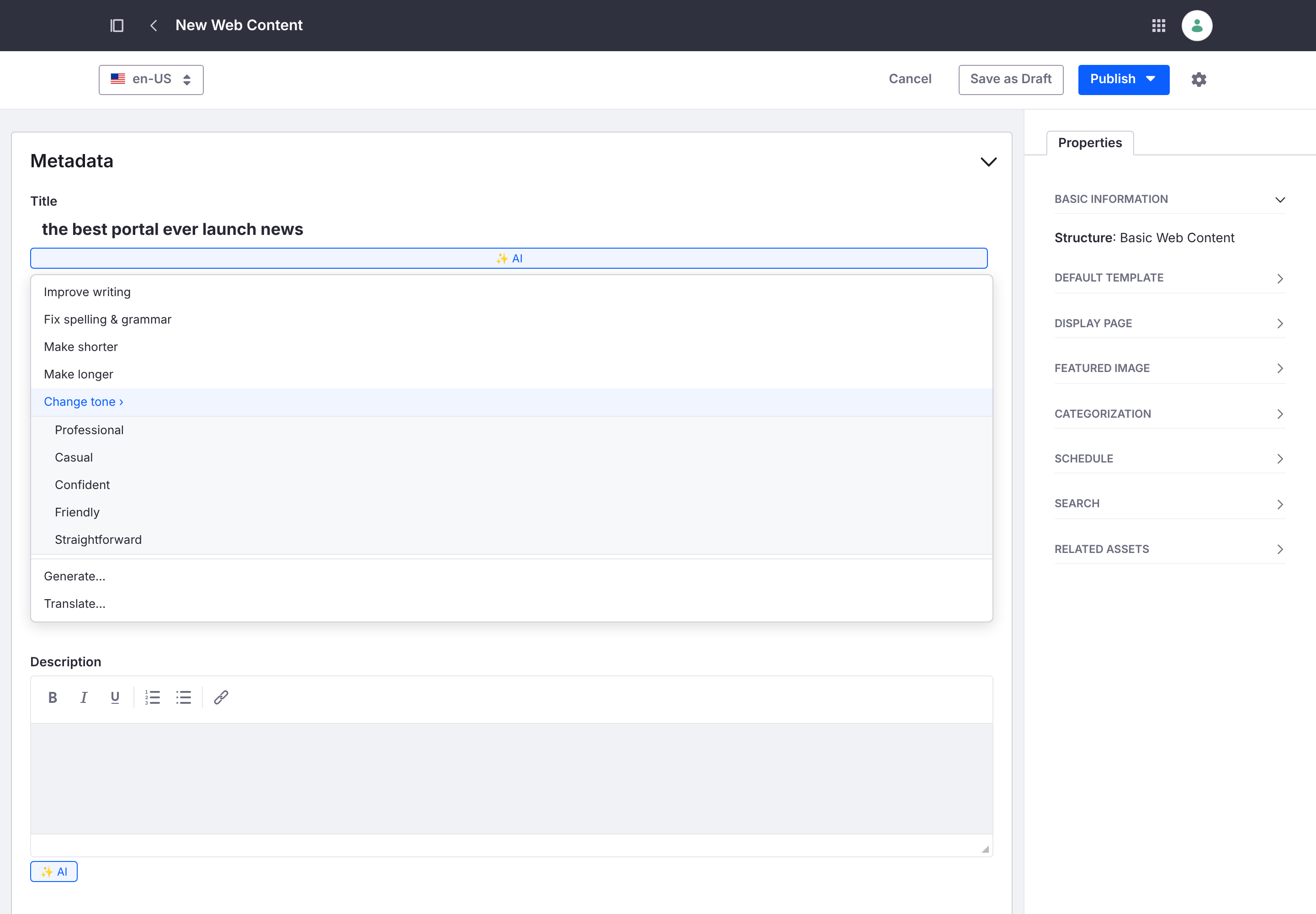
An OSGi module for Liferay DXP 2024.Q1 to 2025.Q4 that brings Liferay AI Hub to releases that shipped before the AI Hub cell. It puts AI Hub’s chat widget on every page and adds AI Hub’s in-editor AI Assistant to the Web Content editor — writing tools, tag and category suggestions, field and image generation, and translation — with a per-user token and a server-side proxy, and without changing Liferay’s code. It steps aside automatically on releases that have Liferay’s own AI Hub cell (2026.Q1 and later).
Documentation
What it brings
- AI Hub Chat — AI Hub’s chat widget on every page, configured in Instance and Site Settings, exactly as the 2026.Q1+ cell and Click to Chat’s AI Hub provider do it.
- In-editor AI Assistant — writing tools (improve, fix spelling & grammar, make shorter/longer, change tone), suggest tags and categories, generate a field value or an image, and translate content into the site’s other languages, inside the Web Content editor.
- Per-user tokens — the connector mints a token for the signed-in user so the chat and assistant act as that user, the way Liferay’s cell does.
- Server-side proxy — on by default, so AI Hub’s access token stays on the server and browsers only ever call their own Liferay.
- AI Hub’s Liferay Search on 2024.Q1 and 2024.Q2, which lack the endpoint it calls.
- Workflow agent step — run an AI Hub agent as a workflow step through Kaleo, standing in for the 2026.Q1+ AI Hub agent node.
Install
The connector is distributed as an installer image on GitHub Container Registry — the liferay-aihub-legacy-connector package — which writes the module and its client extensions into a Liferay deploy folder. See Installing, then Configuration.
A licensed Liferay AI Hub is required. The connector reproduces, on earlier releases, the part of AI Hub that runs on the customer’s DXP (the “cell”) — it mints the user token and hosts the front end, then calls your AI Hub instance for every chat message and assistant action. It is not a model provider and does nothing without an AI Hub subscription. It is a Liferay Community APAC app for Liferay internal use; Liferay does not support it.